7. Plug in power jack (+5V) on the
and switch on.
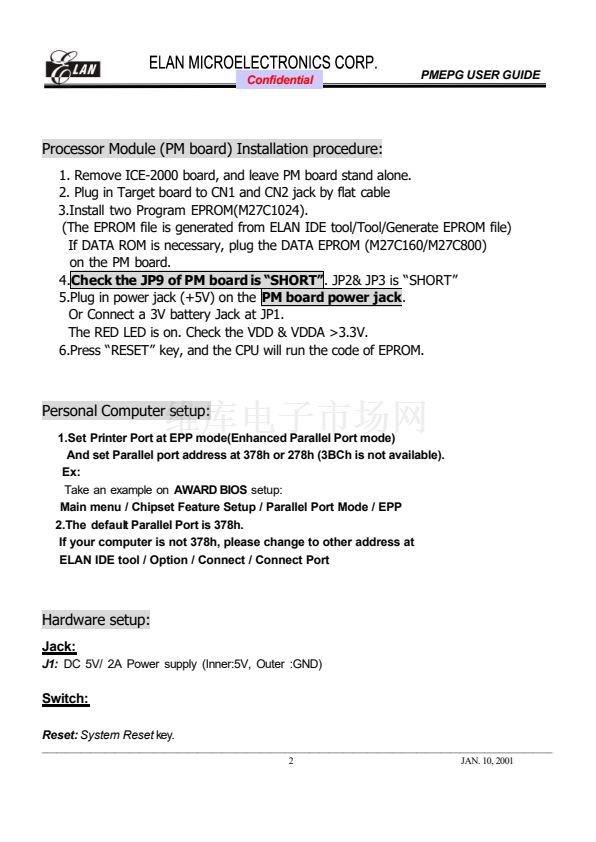
The RED LED is on. Check the VDD & VDDA >3.3V.
7. RUN ELAN IDE program, and press
8. Open project---鈥淢elody鈥?recommand) , and execute 鈥淩ebulid ALL鈥?/div>
9. Press
to initialize ICE
10. Press
to execute 鈥淕O鈥?(wait a few seconds until
脿
)
(or Press
to execute 鈥淭imer GO鈥?,this function is used for displaying LCD
RAM
on the PC monitor. And the LCD display will be updated every 1 seconds.)
11. When you want to stop execution, press
脿
12. If any error happen, press
, and run from STEP 7 again.
13. If STEP 10 not work, disconnect Printer port and DC power , and re-connect.
Then run from STEP 7 again.
_______________________________________________________________________________________________________
JAN. 10,2001








 1
1
 2
2
 3
3
 4
4
