19-1874; Rev 0; 12/01
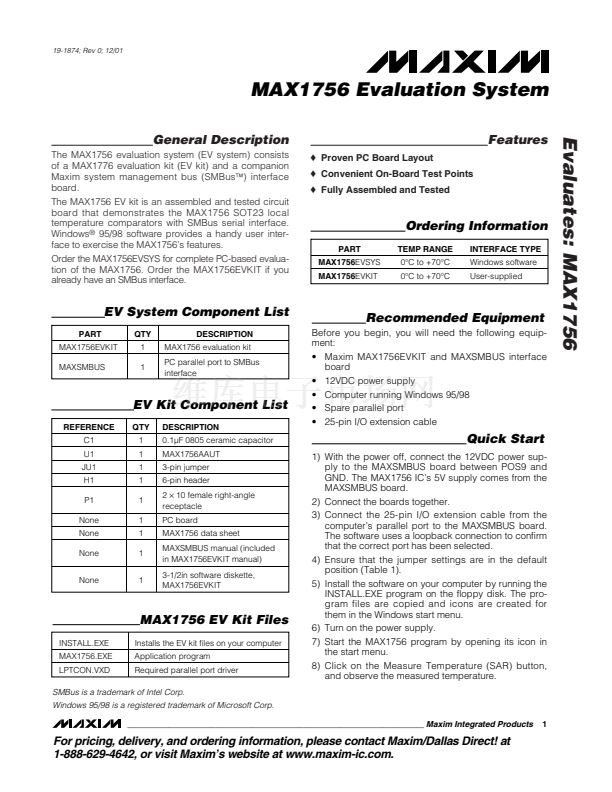
MAX1756 Evaluation System
General Description
The MAX1756 evaluation system (EV system) consists
of a MAX1776 evaluation kit (EV kit) and a companion
Maxim system management bus (SMBus錚? interface
board.
The MAX1756 EV kit is an assembled and tested circuit
board that demonstrates the MAX1756 SOT23 local
temperature comparators with SMBus serial interface.
Windows
廬
95/98 software provides a handy user inter-
face to exercise the MAX1756鈥檚 features.
Order the MAX1756EVSYS for complete PC-based evalua-
tion of the MAX1756. Order the MAX1756EVKIT if you
already have an SMBus interface.
o
Proven PC Board Layout
o
Convenient On-Board Test Points
o
Fully Assembled and Tested
Features
Evaluates: MAX1756
Ordering Information
PART
MAX1756EVSYS
MAX1756EVKIT
TEMP RANGE
0擄C to +70擄C
0擄C to +70擄C
INTERFACE TYPE
Windows software
User-supplied
EV System Component List
PART
MAX1756EVKIT
MAXSMBUS
QTY
1
1
DESCRIPTION
MAX1756 evaluation kit
PC parallel port to SMBus
interface
Recommended Equipment
Before you begin, you will need the following equip-
ment:
鈥?Maxim MAX1756EVKIT and MAXSMBUS interface
board
鈥?12VDC power supply
鈥?Computer running Windows 95/98
鈥?Spare parallel port
鈥?25-pin I/O extension cable
EV Kit Component List
REFERENCE
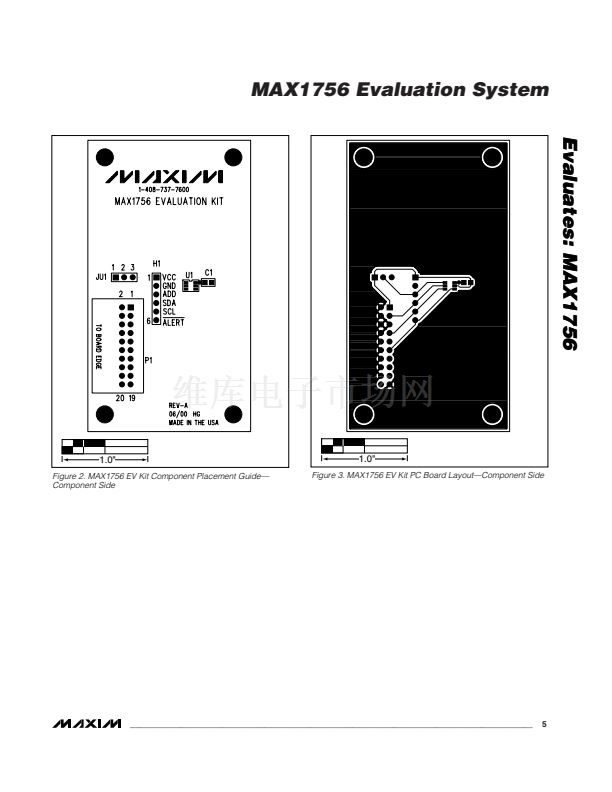
C1
U1
JU1
H1
P1
None
None
None
None
QTY
1
1
1
1
1
1
1
1
1
DESCRIPTION
0.1碌F 0805 ceramic capacitor
MAX1756AAUT
3-pin jumper
6-pin header
2
脳
10 female right-angle
receptacle
PC board
MAX1756 data sheet
MAXSMBUS manual (included
in MAX1756EVKIT manual)
3-1/2in software diskette,
MAX1756EVKIT
Quick Start
1) With the power off, connect the 12VDC power sup-
ply to the MAXSMBUS board between POS9 and
GND. The MAX1756 IC鈥檚 5V supply comes from the
MAXSMBUS board.
2) Connect the boards together.
3) Connect the 25-pin I/O extension cable from the
computer鈥檚 parallel port to the MAXSMBUS board.
The software uses a loopback connection to confirm
that the correct port has been selected.
4) Ensure that the jumper settings are in the default
position (Table 1).
5) Install the software on your computer by running the
INSTALL.EXE program on the floppy disk. The pro-
gram files are copied and icons are created for
them in the Windows start menu.
6) Turn on the power supply.
7) Start the MAX1756 program by opening its icon in
the start menu.
8) Click on the Measure Temperature (SAR) button,
and observe the measured temperature.
MAX1756 EV Kit Files
INSTALL.EXE
MAX1756.EXE
LPTCON.VXD
Installs the EV kit files on your computer
Application program
Required parallel port driver
SMBus is a trademark of Intel Corp.
Windows 95/98 is a registered trademark of Microsoft Corp.
________________________________________________________________
Maxim Integrated Products
1
For pricing, delivery, and ordering information, please contact Maxim/Dallas Direct! at
1-888-629-4642, or visit Maxim鈥檚 website at www.maxim-ic.com.










 1
1
 2
2
 3
3
 4
4
 5
5
 6
6
